How to Ask for a Review: A Step-by-Step Playbook for 2026
A step-by-step playbook for asking customers for reviews: timing, channels, word-for-word scripts, and follow-ups that get replies.
In this article
You've probably seen this pattern already. Customers say nice things in support tickets, in DMs, on calls, and at the end of projects. They thank your team, mention specific wins, and sound happy. Then you check Google, Yelp, or your testimonials page and find almost nothing new.
That gap doesn't mean customers don't care. It usually means your review process is weak.
Most businesses still treat review collection like a one-off favor. They send a generic email blast, ask at the wrong moment, or make people click through a clunky form that feels like work. The result is predictable. Even happy customers postpone it, forget it, or abandon it halfway through.
The fix isn't a better canned template alone. It's a system that asks through the right channel, offers the right format, and removes enough friction that customers can respond in text, audio, or video without thinking twice. Once you automate that flow from request to publication, reviews stop arriving randomly and start arriving consistently.
Why Your Best Customers Are Not Leaving Reviews
A local clinic owner I worked with had the classic problem. Patients thanked the staff in person. Follow-up emails got warm replies. Front desk notes were full of positive comments. But the public review profile stayed quiet for weeks at a time.
Nothing was wrong with the service. The issue was that happy customers had no reason to act right now.
Most satisfied customers don't wake up wanting to leave a review. They're busy, distracted, and usually moving to the next thing in their day. Even when they mean well, a review request competes with work, family, messages, and everything else on their phone. If your process takes more than a minute or feels impersonal, it slips down the list.
Satisfaction is passive, reviews are active
That distinction matters. A customer can feel great about your business and still do nothing publicly.
Three friction points show up again and again:
- Decision friction: They don't know what to write, how long it should be, or whether you want a Google review, a website testimonial, or something else.
- Channel friction: They see the request in one place but need to complete it somewhere else. Every extra click increases drop-off.
- Effort friction: Recording a video, typing a paragraph, logging into a directory, or hunting for the right link feels bigger than it should.
Practical rule: Don't ask customers to be motivated. Build a process that works even when they're only mildly willing.
There's also a subtle trust issue. Generic outreach feels automated, and automated messages are easy to ignore. Customers respond better when the request feels tied to the experience they had.
The businesses that get reviews consistently use a system
The companies that solve this don't rely on memory or luck. They decide who to ask, when to ask, what format to offer, and where the review should go. They make the path obvious.
That's the ultimate playbook for how to ask for a review. Not a clever sentence. A repeatable workflow that turns positive sentiment into public proof.
Laying the Groundwork for Successful Requests
Before writing copy, decide two things. Who should get the ask and when should they get it.
If you skip that groundwork, you'll end up sending generic requests to the wrong people at the wrong moment. That creates weak response rates and low-quality feedback.
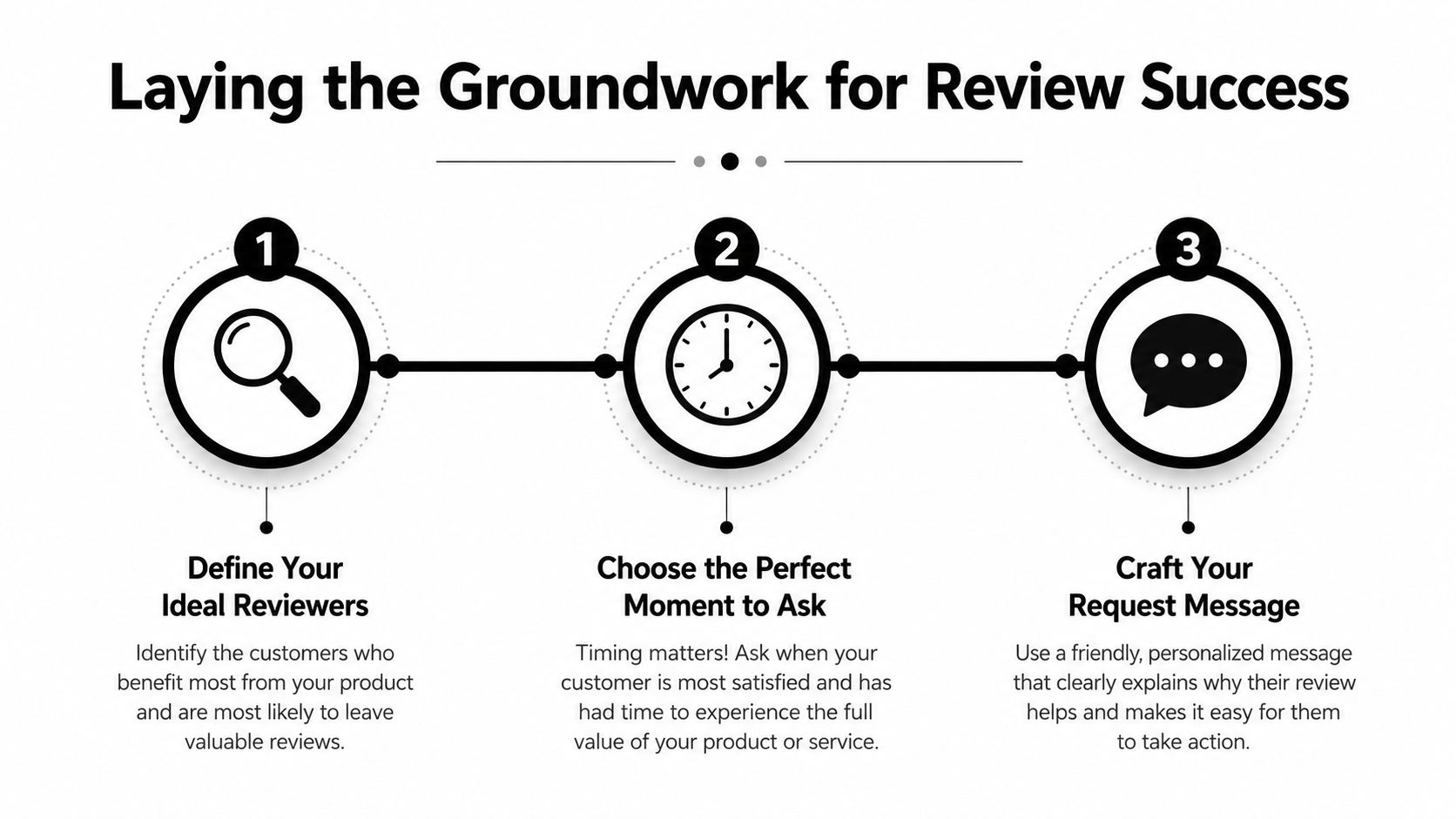
Define your ideal reviewers
Start with customers who already show signs of satisfaction. Don't blast your entire database.
A better shortlist usually includes:
- Repeat buyers: They've chosen you more than once, which usually means the experience matched expectations.
- Customers with positive support interactions: If they wrote in with a problem and your team resolved it cleanly, that's often a strong review moment.
- Users who reached a success milestone: For SaaS, that might be onboarding completion, first campaign launch, or a feature adoption event.
- Clients who gave direct praise: If someone says “this was exactly what we needed,” that's not just a compliment. It's a cue.
The point isn't to manipulate who leaves feedback. It's to ask when someone has enough context to say something useful and positive.
Match timing to the customer experience
Timing changes everything. According to Bazaarvoice's guidance on getting more reviews, the optimal timing for sending review requests is 7 to 14 days after product delivery, when customers have had enough time to use the item but still remember the experience clearly. For services or digital products, the best time is immediately after completion or a key milestone.
That lines up with what works in practice. Ask too early and the customer has nothing specific to say. Ask too late and the emotional detail is gone.
Here's a straightforward way to view it:
| Business type | Best moment to ask | What to avoid |
|---|---|---|
| E-commerce | 7 to 14 days after delivery | Asking before the product is used |
| Local services | Right after service completion | Waiting until the customer forgets the details |
| SaaS | After a meaningful milestone | Asking right after signup |
| Agencies and consultants | At delivery or after a clear win | Asking during unresolved back-and-forth |
Pick one primary destination
A lot of review programs fail because they try to do too much at once. One email asks for a Google review, a website testimonial, a survey response, and a social post. That's too many choices.
Choose the primary outcome for each campaign:
- Public review if local SEO and marketplace trust matter most.
- Text testimonial if you need website proof you can control and organize.
- Video or audio submission if you need richer stories for sales pages and ads.
The strongest request is usually the simplest one. One customer, one ask, one clear action.
Build your segments before you write copy
If you're running collection through a CRM, POS, Shopify, WooCommerce, or a support tool, create segments first. That lets you tailor the wording and the timing based on what happened.
A good review system doesn't begin with “what should the email say?” It begins with “which customer just had a review-worthy experience?”
Crafting the Perfect Ask for Email SMS and QR Codes
The best channel depends on context. Email gives you room for personalization. SMS works when speed matters. QR codes help capture intent in physical spaces where people are already interacting with your brand.
Use the channel that matches the moment, not the one that's easiest for your team.
Email works best when context matters
Email is still the most flexible review request channel because you can make it feel personal without making it long. According to Pipedrive's review request guidance, email personalization doubles the likelihood of a review request being opened, especially when you use the customer's name and reference specific service details.
That means generic subject lines and broad requests are a miss. Specificity wins.
Example email script
Subject: Quick favor, Sarah
Hi Sarah,
Thanks again for choosing us for your kitchen remodel. I'm glad the cabinet install and turnaround landed well.
If you have a minute, would you be open to leaving a quick review? It helps other homeowners know what to expect.
[Leave your review]
Thanks again, Michael
Why this works:
- It names the customer
- It references the actual service
- It asks for a small action
- It gives one clear destination
If you need more options, this library of testimonial request email templates is a useful starting point.
SMS works when the ask should feel immediate
SMS has less room for storytelling, so every word has to earn its place. Per the same Pipedrive article on review requests, SMS requests must be under 160 characters with a single, direct link to pass carrier filters.
That forces discipline, which is a good thing.
Example SMS script
Hi Ana, thanks for visiting us today. If you can spare a minute, we'd love your feedback: [review link]
This works because it's direct and easy to act on. There's no extra pitch, no second link, and no clutter.
Use SMS when:
- the service just ended
- the customer is mobile-first
- your business already communicates by text
- speed matters more than nuance
Don't use SMS for a complex explanation. If the customer needs context or a more emotional prompt, email is a better fit.
QR codes are strongest in local and in-person flows
QR codes are underrated because they can capture intent at the exact moment satisfaction is highest. A restaurant receipt, a dental clinic checkout desk, a gym front counter, or a consultant's printed leave-behind can all turn into review prompts.
For lower-volume businesses, TrueReview's guidance for Google review requests recommends starting with verbal asks at checkout combined with QR codes on the counter and email signature links if you process under 30 transactions per month. Businesses with 30+ transactions should move into automated SMS workflows.
The practical takeaway is simple. If your transaction volume is low, high-touch asks often outperform overbuilt automation.
Example in-person ask
“Glad everything went smoothly today. If you'd like, you can scan this code and leave a quick review before you head out.”
That's better than “please leave us a review online sometime,” because it turns a vague future task into an immediate action.
Review request channel comparison
| Channel | Best For | Friction Level | Personalization |
|---|---|---|---|
| Detailed context, B2B, higher-consideration services | Medium | High | |
| SMS | Fast follow-up, mobile-first customers, local services | Low | Medium |
| QR codes | In-person businesses, checkout, events, packaging | Low | Low to medium |
Incentives need caution
Some businesses offer a small thank-you for participation. SiteTuners' advice on leveraging user reviews mentions incentives such as 5% or $5.00 off the next purchase, or gift certificates for detailed reviews with photos or videos.
That can increase action, but there's a trade-off. Platform policies vary, and the more public the review destination, the more careful you need to be. If you use incentives at all, keep them transparent and make sure they don't pressure customers into positive reviews specifically.
Capturing High-Impact Video and Audio Reviews
Text reviews are useful. Video and audio reviews usually carry more weight because buyers can hear tone, see confidence, and judge authenticity for themselves.
That matters most when the sale depends on trust. Agencies, consultants, healthcare providers, coaches, and higher-ticket SaaS products all benefit when the customer's story feels human instead of polished.
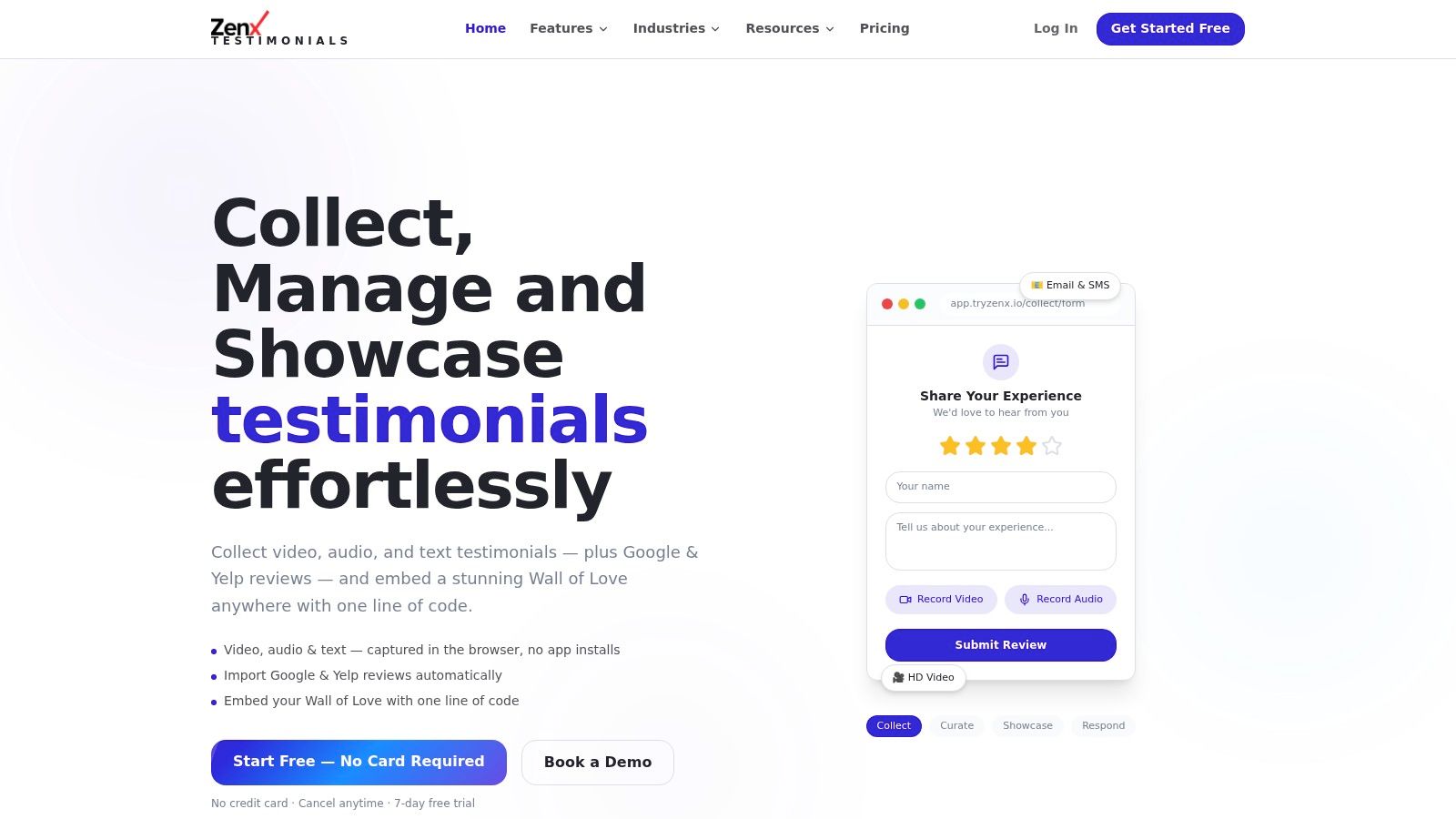
The barrier isn't willingness, it's perceived effort
Most customers don't reject video because they hate the idea. They reject it because they assume it will be awkward, time-consuming, or technical.
If the request sounds like a production task, they'll skip it. If it sounds like “tap, answer three prompts, submit,” they're far more open to it.
That's why browser-based capture matters. A no-install flow removes the moment where customers think, “I'll do this later on my laptop,” and never return. A tool built for video testimonials should make the whole process feel closer to sending a voice note than recording a formal testimonial.
Ask for a story, not a performance
Bad video prompts make customers self-conscious. Good prompts help them talk naturally.
Use short prompts like:
- What problem were you trying to solve?
- What nearly stopped you from choosing us?
- What changed after you used the product or service?
- Who would you recommend this to?
These work for audio too. In fact, some customers who won't record video will happily leave audio because it feels lower pressure.
Don't ask customers to “say something nice about us.” Ask them to describe what happened.
That shift produces stronger content. Specific stories outperform vague praise every time.
Offer format choice upfront
One of the biggest missed opportunities in review collection is forcing every customer into text only. Some people write well. Others speak better than they type. Some are willing to record video if the process is simple, but won't open a long form.
Give customers options:
- Text for speed
- Audio for convenience
- Video for richer social proof
When you do that, you're not just collecting more reviews. You're collecting better raw material for landing pages, ads, sales enablement, and case study development.
Keep the ask light
The wrong way to ask for a video testimonial is to make it sound important. The right way is to make it sound easy.
Try wording like this:
“Would you be open to sharing a quick 30 to 60 second video or audio note about your experience? A few short prompts will guide you.”
That lowers the perceived commitment without adding pressure.
How to Automate Your Entire Review Collection Workflow
Manual review collection breaks as soon as your volume grows. Someone forgets to send the email. Someone exports the wrong list. Someone follows up with a customer who already responded. The whole thing turns into spreadsheet work.
Automation fixes consistency first. Performance comes after.
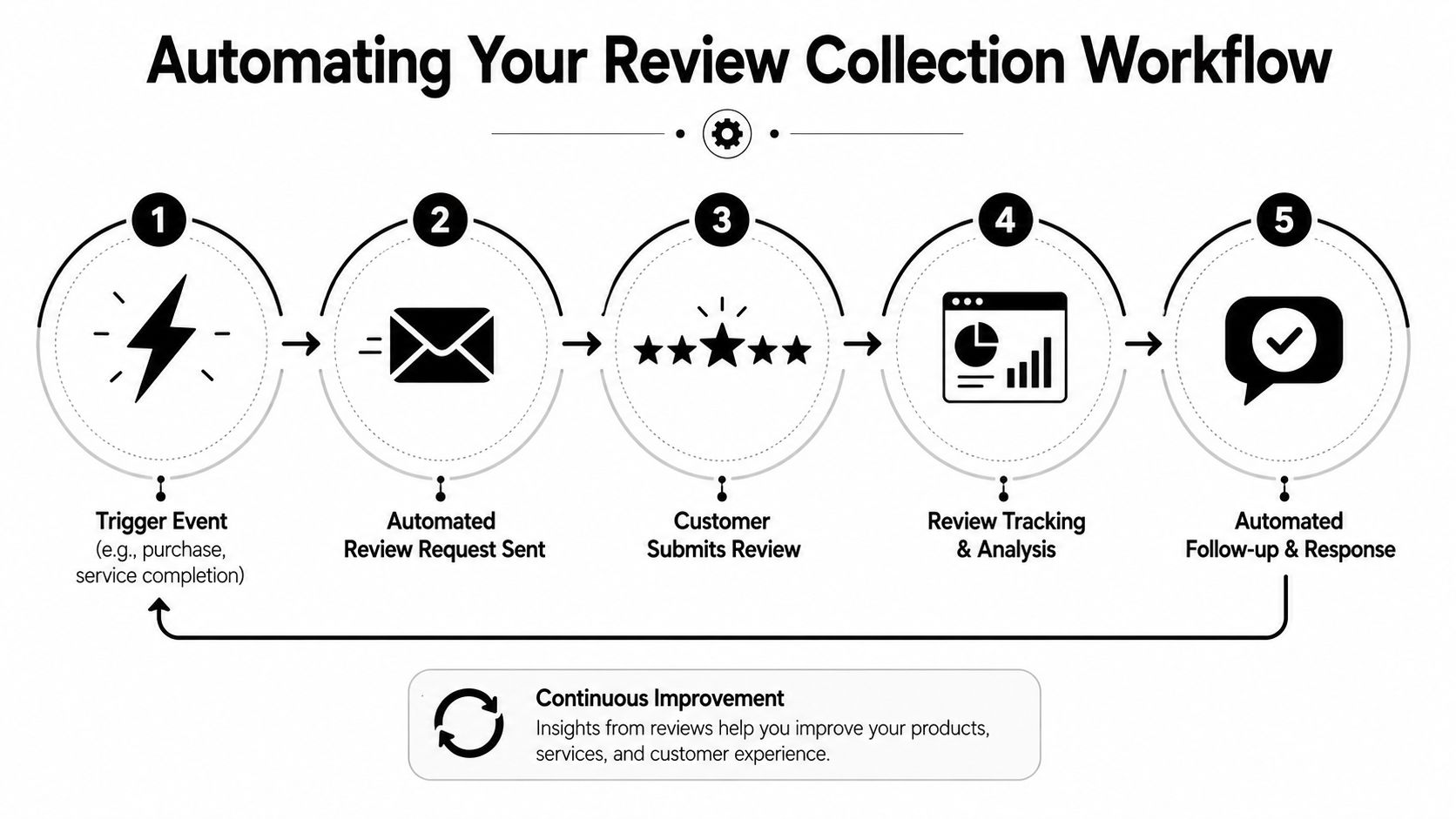
Start with the trigger, not the message
The cleanest workflows begin when a real event happens:
- Order fulfilled
- Appointment completed
- Project delivered
- Milestone reached
- Support issue resolved
Those events are better triggers than arbitrary calendar sends because they're tied to actual customer satisfaction moments.
According to Rankdots' review workflow guidance, a six-step automated workflow that triggers requests at peak satisfaction and routes users to directories requiring zero logins can remove a primary friction point that reduces submission rates by up to 40%.
That “zero login” point is vital. If a customer taps your review link and lands on a confusing screen with account hurdles, you lose them.
A practical automation sequence
A strong workflow usually looks like this:
- Trigger fires from your CRM, POS, or commerce platform.
- Customer enters the correct branch based on purchase type, service type, or milestone.
- Primary request sends by email or SMS.
- Non-responders get one reminder after a short delay.
- Responses route by format into text, audio, video, or public review destinations.
- Approved content publishes to your website or review library.
Many teams overcomplicate things. You don't need a massive branching tree on day one. You need a dependable default path.
Add a satisfaction check when reputation risk matters
For some businesses, especially those in high-trust categories, it makes sense to screen first. MarTech's article on getting reviews notes that a two-step method using an internal satisfaction survey before the public review email can increase the conversion rate of positive reviewers by 25–30%, while direct unscreened requests create a 15% higher rate of negative public reviews and a 10% lower overall participation rate.
That doesn't mean every brand should gate every request. It means you should think clearly about trade-offs.
Use pre-screening when:
- you're in healthcare, legal, or another sensitive category
- customer experiences vary based on staff or location
- your team needs an internal recovery path before a public review ask
Match automation to business volume
Not every business needs the same setup. TrueReview's recommendation for review request strategy draws a useful line: businesses under 30 transactions per month can start with verbal asks, QR codes, and email signature links. At 30+ transactions, automated SMS workflows become the practical move.
That's the right way to think about tooling. Build for your current complexity, not the complexity you imagine.
Automation should remove admin, not add another system your team has to babysit.
Don't forget the publication layer
Collection is only half of the workflow. Once feedback is approved, you need it where buyers can see it.
That includes product pages, service pages, landing pages, pricing pages, proposal decks, and a dedicated testimonial hub. The strongest systems don't leave approved reviews sitting in a dashboard. They push them into marketing and sales assets quickly.
For teams collecting multiple formats, this matters even more. A text quote belongs in one place. An audio clip may work in outbound. A short customer video may be your best homepage proof asset for months.
Closing the Loop and Measuring Your Success
A review program doesn't end when the customer submits feedback. It ends when your team has responded, organized the content, and put it to work.
That post-submission work is where a lot of businesses lose momentum.
Respond fast and stay human
According to Ubiweb's guidance on customer review response timing, 63% of customers expect a response within 2 to 3 days up to one week later, and missing that window reduces trust and future engagement.
That's a clear operational standard. If reviews matter to your business, someone should own responses.
A few practical rules help:
- Thank positive reviewers specifically: Reference what they mentioned instead of posting a canned “thanks for your feedback.”
- Acknowledge negative reviews calmly: Don't argue in public. Confirm the concern and move the next step offline when appropriate.
- Keep tone consistent: Buyers read your responses as closely as the original review.
Turn feedback into usable insight
Reviews aren't just trust assets. They're customer language research.
Once you've collected enough feedback, sort it by recurring themes. Look for repeated mentions of onboarding, speed, support quality, product reliability, ease of use, or outcomes. Those patterns can sharpen homepage copy, sales scripts, onboarding flows, and feature positioning.
Tools with AI review insights can help surface themes, pull reusable quotes, and organize customer language faster, but the editorial judgment still belongs to your team.
Measure what actually matters
Don't judge the program by review count alone. Track whether the system is producing useful proof and whether buyers are seeing it.
A practical scorecard includes:
- Submission trend: Are requests producing a steady flow instead of random spikes?
- Format mix: Are you collecting only text, or also getting audio and video?
- Response speed: Is your team replying inside the expected window?
- Publishing cadence: Are approved reviews making it onto pages that influence pipeline?
- Message quality: Are the reviews specific enough to support purchasing decisions?
If those numbers move in the right direction, your review engine is doing its job.
ZenX Testimonials helps teams collect, manage, and publish text, audio, video, and third-party reviews without turning the process into manual busywork. If you want a cleaner way to run review requests, moderate submissions, and display social proof across your site, take a look at ZenX Testimonials.
Written by
Sunil
ZenX Testimonials
Sunil writes about reviews, testimonials, and the everyday work of earning customer trust.