Review Management Software: Automate & Boost Brands
What review management software does, which features matter, and how automating review requests and replies helps your brand grow.
In this article
Many businesses manage customer reviews in a fragmented way.
A Google review appears in one inbox. A customer mentions your brand on social media. Positive feedback arrives in a post-purchase email but never reaches your website. Meanwhile, a dissatisfied customer posts a public complaint after a private issue went unnoticed. Over time, feedback accumulates across channels, while valuable social proof remains underused.
This is why review management software matters. Its value is not simply that it creates another dashboard. Its value is that it converts scattered customer sentiment into practical business assets: timely responses, operational insight, website proof, sales enablement content, and a clearer understanding of how buyers perceive your brand.
Beyond Monitoring Reviews
Many business owners still treat reviews as an exception-based task. Attention goes to them only when something goes wrong.
That reaction is understandable. Reviews appear on multiple platforms, at unpredictable times, and in different formats. One person checks Google, another tries to keep up with Yelp, and someone forwards screenshots of positive comments to marketing with the intention to use them later. In most cases, that later moment never comes.

That approach misses the broader opportunity. Reviews are not only reputation signals. They are marketing assets. A strong review can support trust on your website, strengthen landing pages, improve sales collateral, and supply credible content for social media and follow-up campaigns.
Reviews are becoming core business infrastructure
The market itself reflects this shift. The global Feedback and Reviews Management Software market was valued at USD 19.56 billion in 2026 and is projected to reach USD 33.45 billion by 2030, growing at a CAGR of 14.4%, according to Research and Markets on the feedback and reviews management software market. This is a forward-looking estimate, not a present-day figure, but it signals where businesses are directing attention and budget.
The reason is straightforward. As more buying journeys move online, companies need a centralized way to collect, manage, and publish customer feedback across digital channels.
Practical rule: If a review helps a prospect trust your business, it should be part of your marketing workflow, not buried in an inbox.
The shift from reactive to proactive
The most important mindset change is this: review management software is not only a damage-control tool.
When used effectively, it helps businesses achieve three goals at once:
- Collect feedback consistently: Request reviews at the right moment instead of relying on memory.
- Respond faster: Identify new and negative reviews before they sit unanswered.
- Show proof publicly: Move positive feedback onto your website and social channels while it is still timely and relevant.
That final point is often overlooked. Many businesses do a reasonable job of monitoring reviews, but they do not actively publish testimonials. As a result, earned trust never becomes visible trust.
What Is Review Management Software
Review management software functions as a central control system for customer feedback.
Without it, reviews, testimonials, and ratings are scattered across platforms. Google reviews live in one place, website testimonials in another, and social media comments remain isolated on their original channels. Teams compensate with spreadsheets, screenshots, inbox searches, and manual copy-paste workflows. The result is inconsistency and inefficiency.
With the right software, feedback is brought into one system where it can be collected, organized, responded to, and published.
The four core functions
At a high level, review management software typically performs four functions.
-
Collection
It enables businesses to request feedback through email, SMS, QR codes, or direct links after a meaningful event such as a purchase or completed service. -
Aggregation
It brings reviews from third-party platforms such as Google and Yelp into one environment, reducing the need to monitor multiple dashboards. -
Management
It provides a workspace to approve, tag, sort, archive, and respond to reviews and testimonials. -
Publication
It turns approved feedback into website widgets, testimonial sections, and social content so strong customer comments do not remain hidden.
Manual chaos versus organized workflow
The operational difference becomes clear in daily use.
| Task | Manual Method | With Software |
|---|---|---|
| Collecting reviews | Team members send ad hoc emails or ask in person | Requests can be triggered automatically after customer events |
| Tracking platforms | Multiple browser tabs, inbox searches, screenshots | Reviews from key channels appear in one dashboard |
| Replying to reviews | Staff copy and paste responses platform by platform | Central moderation and reply workflows keep responses organized |
| Saving testimonials | Comments get stored in spreadsheets or not saved at all | Approved feedback is stored in a searchable library |
| Publishing social proof | Marketing manually reformats reviews for web and social | Embeds and widgets make approved reviews easier to display |
| Learning from feedback | Teams rely on memory and scattered notes | Tags, filters, and analysis tools help surface patterns |
It is not limited to review sites
The term "review management" often makes people think only of public star ratings on Google.
In practice, a strong platform can also support text testimonials, audio feedback, and video testimonials. That matters because customers prefer different formats. Some are comfortable writing two sentences. Others are more willing to record a short video, provided the process is easy and does not require extra downloads or logins.
A useful system does more than monitor public reviews. It helps your team capture proof in the format customers are most likely to provide.
If there is one key takeaway here, it is this: review management software is a workflow system, not just a listening tool.
Core Features Every Platform Should Have
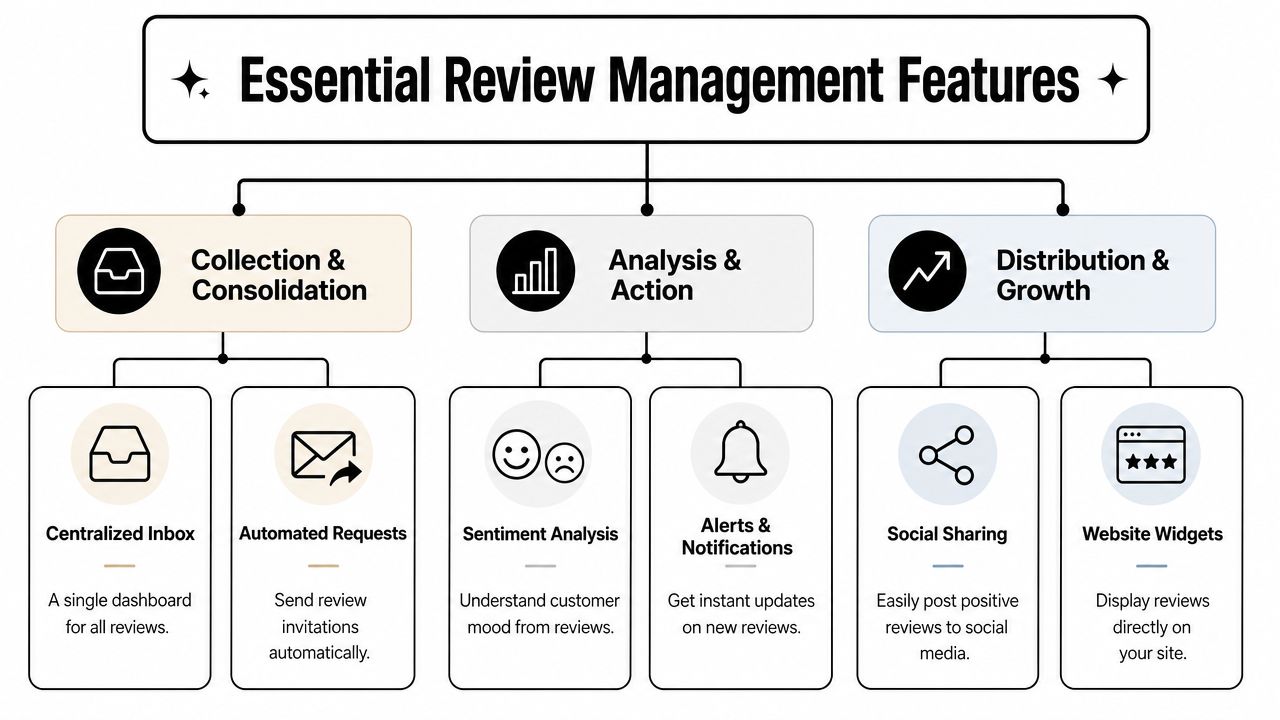
Some tools only help businesses observe reviews. A stronger platform helps you collect, consolidate, analyze, act, and distribute customer proof.
That is the difference between a reputation tool and a growth tool.
Collection and consolidation
The process starts with intake. If submission is difficult, fewer customers will complete it.
Look for support for:
- Text testimonials: Efficient for customers who want to leave a short written comment.
- Audio and video capture: Valuable when you want more persuasive and expressive social proof.
- Automated requests: Triggers tied to real customer milestones such as a purchase, delivery, or completed appointment.
- Third-party imports: Google and Yelp reviews should flow into the same system used for first-party testimonials.
Many businesses prefer an all-in-one platform because it combines video and text review collection with Google Business integration. This matters because it eliminates the typical divide between collecting reviews and managing them.
Management and response
Once reviews begin to arrive, your team needs an efficient place to work.
Core capabilities include a centralized inbox, moderation controls, tags, filters, approval workflows, and reply tools. Alerts are equally important. Review management software should notify business owners instantly when new Google reviews are posted, which can improve customer satisfaction scores by up to 25% in consumer-facing industries, according to Sprout Social on Google review management.
That speed has practical value. If a negative review sits unanswered for several days, prospects notice the silence. If the business owner receives an immediate alert, they can step in quickly or route the issue through an existing escalation process.
Fast alerts do not solve a poor customer experience on their own. They do create an opportunity to respond before one negative interaction becomes your public narrative.
Analysis and publishing
Many teams stop at response. That leaves significant value unrealized.
A complete platform should help you identify recurring themes, extract strong quotes, and publish approved feedback quickly. That includes website widgets, testimonial walls, and social sharing tools so that the moment a strong review arrives, your team can turn it into visible proof.
If you want a concrete feature checklist, this review management feature breakdown shows the kinds of collection, moderation, alerting, and publishing functions a full platform can include.
A simple test is useful here. If a tool helps you gather feedback but makes it difficult to display that feedback, your team will still be doing too much manual work. Strong review management software should shorten the path from customer praise to public proof.
Key Business Benefits and Calculating ROI
The clearest way to evaluate ROI is to separate it into two categories: trust gains and time savings.
Trust gains occur when credible customer proof appears where buyers make decisions. Time savings occur when teams no longer need to chase reviews manually or repeat the same publishing tasks.
Where the value appears
The first benefit is stronger conversion support. Reviews on a third-party platform are helpful. Reviews on your homepage, service pages, pricing pages, or product pages are typically more influential because that is where buyer hesitation appears.
The second benefit is operational efficiency. Many businesses receive testimonials but never actively publish them. Automation changes that. Instead of copying quotes into documents, resizing screenshots, and asking designers to create new graphics, your team can approve feedback and publish it through existing widgets or sharing workflows.
The third benefit is insight. Reviews reveal what customers value, what they misunderstand, and what nearly prevented them from buying. That language can improve sales messaging, onboarding flows, and support documentation.
A simple ROI framework
You do not need a complex model to evaluate review management software. Start with a few practical questions:
- How much staff time goes into collection today? Include follow-ups, copy-pasting, chasing approvals, and posting to web or social.
- How many strong reviews are never reused? If positive feedback remains in email, you are losing marketing value.
- How quickly can your team respond to negative feedback? Faster responses help protect trust.
- How often do reviews influence sales conversations? If prospects regularly ask for proof, a searchable testimonial library has clear value.
A practical way to estimate this is to compare your current manual effort with an automated workflow using a review ROI calculator. Even if you do not use a dedicated tool, the exercise helps quantify the cost of scattered proof and delayed responses.
Do not overlook insight value
There is another return many business owners underestimate. Seventy percent of businesses struggle to extract actionable insights from reviews because they lack analytical tools for natural language processing and sentiment analysis, according to InMoment on review management.
That matters because reviews should not only tell you how your business looks publicly. They should also help you identify root causes. Repeated comments about slow onboarding, confusing billing, or product setup are not just reputation issues. They are opportunities for operational improvement.
Choosing the Right Software for Your Business
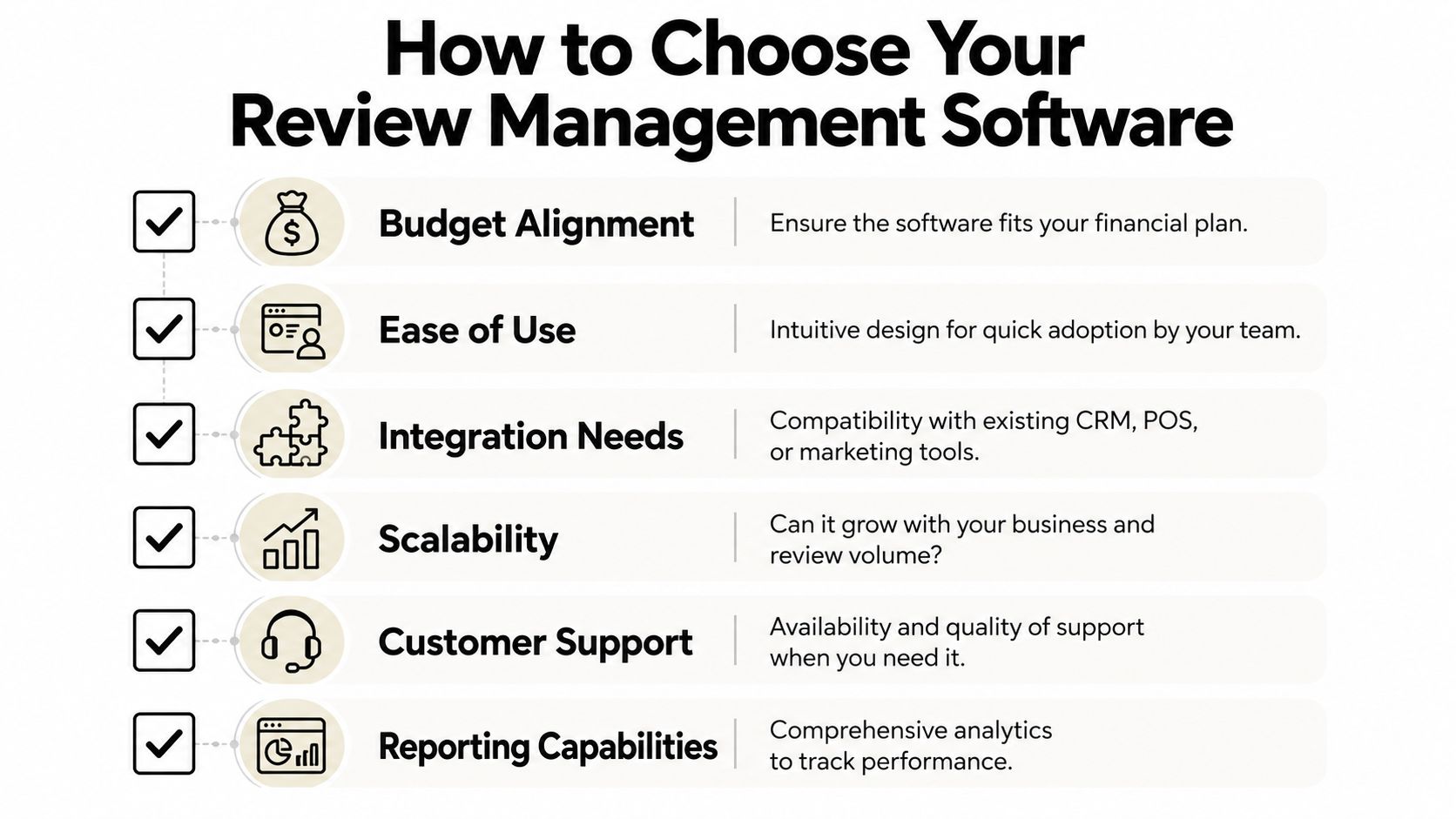
Selecting review management software becomes easier when you stop asking, "Which platform has the most features?" and start asking, "Which platform fits the way our business actually operates?"
A tool can perform well in a demo and still fail in practice if your team will not use it, your customers will not submit through it, or it does not connect to the systems that reflect real customer events.
The questions worth asking vendors
Use this checklist when evaluating options:
- How easy is setup? Can a non-technical team install widgets, create request flows, and manage approvals without depending on a developer?
- What formats can customers submit? Text-only collection can become limiting if your marketing team later wants video or audio testimonials.
- Which systems does it connect to? Review requests work best when triggered by actual purchases, appointments, or completed services.
- How does it handle alerts? Owners and managers should be able to receive negative review notifications instantly by email or through their preferred workflow.
- What happens after collection? Can you publish to your website and social channels quickly, or does the tool stop at monitoring?
Integrations often determine the winner
For many businesses, integration depth is the deciding factor.
The most impactful integrations for review management include HubSpot, Shopify, and healthcare EHR platforms, which let businesses synchronize customer data and review activity and consolidate feedback from 100+ sites into a single dashboard, according to Birdeye on Google business tools.
This matters in practical ways:
- HubSpot: Useful for tying review requests to lifecycle stages, closed deals, or post-service follow-up.
- Shopify: Helpful when review collection should be tied directly to order events.
- EHR platforms: Important for healthcare organizations that need review workflows connected to patient interactions.
If your review process begins with someone remembering to send a request, the software is not integrated tightly enough.
Look for low-friction publishing
Many buyers focus heavily on collection and forget the final step. Ask how the platform helps your team display feedback.
For example, if the tool offers embeddable widgets, website templates, and efficient moderation, your marketing team can move a fresh testimonial from submission to website and social distribution without rebuilding assets from the beginning. That is especially valuable if your current challenge is not getting occasional praise, but turning praise into visible proof quickly enough to matter.
Common Pitfalls and How to Avoid Them
One of the most serious mistakes in review management can sound appealing in a sales pitch.
It is called review gating. This happens when a business routes unhappy customers into a private channel while directing only satisfied customers toward public review platforms. It may sound efficient, but it creates real compliance and reputation risk.
Do not confuse feedback routing with manipulation
There is an important difference between collecting private feedback and manipulating public perception.
Google suspends Business Profiles for gating practices that filter negative reviews before publication, as noted in this discussion of review gating risks. That is why businesses should be cautious with any workflow that promises to "intercept" negative reviews while pushing only positive ones live.
A compliant process can still gather direct feedback privately. The problem begins when the system selectively controls who gets an opportunity to leave a public review based on sentiment.
The safe approach is simple. Ask all eligible customers for feedback fairly, then use private feedback channels to learn and improve, not to hide criticism.
Other mistakes that weaken ROI
Even strong software underperforms when teams use it poorly. Common patterns include:
- Set-it-and-forget-it behavior: The tool is installed, but no one owns approvals, replies, or publishing.
- No response policy: Team members reply inconsistently, or not at all.
- Ignoring analytics: Reviews are collected, but recurring complaints are never used to improve the customer experience.
- Treating reviews as support only: Marketing never becomes involved, so strong testimonials remain inside the dashboard.
A healthier operating model
A more effective workflow is straightforward:
- Assign one owner for review operations.
- Route urgent or negative feedback to the right person immediately.
- Review recurring themes on a regular schedule.
- Publish approved testimonials on pages where trust matters most.
This approach keeps your process ethical, useful, and commercially relevant. It also helps prevent the common mistake of buying review management software and using only a small portion of its value.
Automating Social Proof with ZenX Testimonials
At this point, the pattern is clear. The most useful platforms do more than listen. They help businesses collect feedback in multiple formats, manage third-party reviews in one place, and publish social proof quickly enough to support marketing and sales.
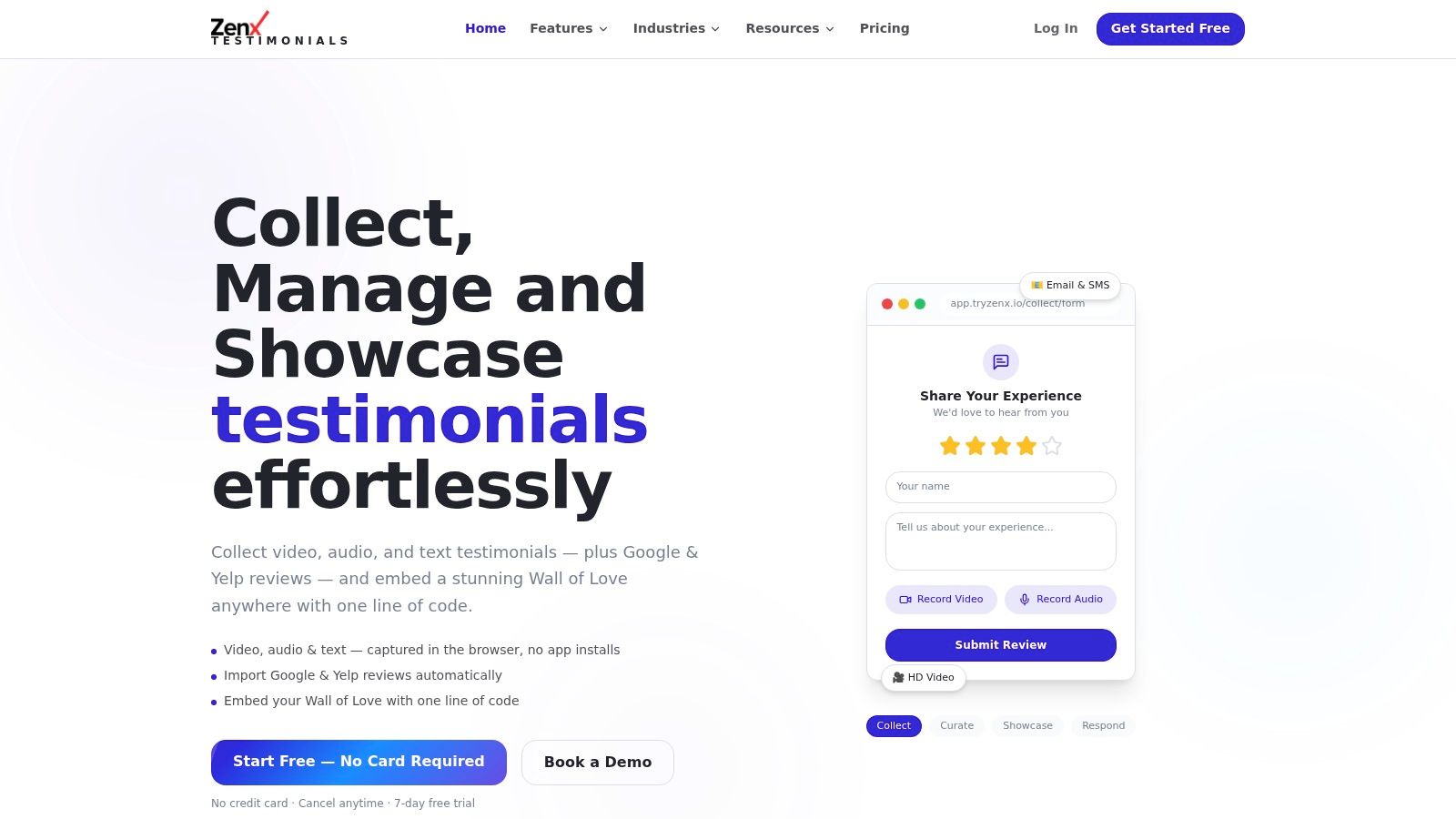
That is where a tool like ZenX Testimonials fits. It is an option for businesses that want an all-in-one setup for video and text testimonial collection, Google Business review management, and fast publishing across websites and social channels.
Why this model is different
The practical advantage is consolidation.
Instead of treating text testimonials, video feedback, and Google reviews as separate workflows, an all-in-one platform can maintain them in one library. That allows a team to collect, approve, organize, and showcase feedback on a website or social channel as soon as it arrives. For businesses that do not currently publish client testimonials consistently, that automation closes a meaningful operational gap.
Integrations matter here as well. HubSpot, Shopify, EHR platforms, and similar systems are valuable because they allow review requests to follow real customer events instead of relying on manual reminders. That makes the process easier for internal teams and more consistent for customers.
Where automation saves time
Moderation is one of the quieter drains on review workflows. Reviews arrive, someone checks them, someone else reformats them, and publishing slows down.
Review management software can substitute up to 70% of manual moderation tasks by applying AI-driven analysis to incoming review streams, reducing content curation time from hours to minutes, according to DevCom on automated architecture review. In practical terms, that means less sorting, fewer bottlenecks, and faster approvals.
For business owners, the outcome is clear. Fewer manual steps. Faster publishing. More visible social proof. Better odds that a strong customer comment is actually used.
If your reviews are spread across Google, email threads, screenshots, and forgotten documents, ZenX Testimonials gives you one place to collect video, audio, and text feedback, manage third-party reviews, and publish social proof where buyers will see it. It is a practical way to move from simply monitoring reviews to using them as a business asset.
Written by
Sunil
ZenX Testimonials
Sunil writes about reviews, testimonials, and the everyday work of earning customer trust.