Review and Ratings: A Guide to Building Social Proof
How reviews and ratings build social proof, where to show them, and how to earn a steady flow of honest customer feedback.
In this article
- Why Review and Ratings Matter More Than Ever
- The Foundation of Trust Ratings vs Reviews
- Strategies for Collecting High Quality Feedback
- Managing and Moderating Reviews for Authenticity
- Publishing Reviews to Maximize SEO and Conversions
- Building a Centralized Social Proof System
- Measuring the Impact of Your Review Program
95% of consumers read online reviews before making a purchase (The Stacc review statistics compilation). That single number explains why review and ratings can't sit on the sidelines anymore. They are part of the buying process itself, a proof layer customers check before they trust a product, a service, or a brand.
Many organizations are still handling ratings, review collection, moderation, and publishing as separate tasks. That setup creates gaps, slows down response times, and makes it hard to keep trust signals current. A better approach is to treat ratings and reviews as one operating system, with a single workflow that feeds conversion, search visibility, and customer trust at the same time.
The practical shift is straightforward. Ratings give the fast signal, the scannable score that shapes first impressions. Reviews supply the context, the objections, the language customers use, and the proof that turns curiosity into action. Build them together, and you get a social proof engine that can be collected, moderated, published, and measured without turning into a pile of disconnected tools.
Why Review and Ratings Matter More Than Ever
The buying journey now starts with proof. Customers want confirmation from other buyers before they trust a claim, and they look for it early, often before they ever talk to sales or click through to a checkout page. That shift changes how review and ratings should be managed inside the business. They are not side assets. They are part of the path to conversion.
That is why a review program belongs alongside pricing, positioning, and retention work. A strong social proof layer helps the buyer answer one question, should I trust this? In e-commerce, SaaS, and local services, that judgment often happens before the demo, the cart, or the booking form. If the trust signal is weak or scattered, the buyer keeps looking.
Ratings and reviews serve different jobs
A rating is the shorthand. A review is the explanation. Buyers who are scanning for a quick yes or no use the star average as a filter, while deeper researchers read the text to decide whether the product fits their exact case.
The point is to build enough visible proof that the buyer can move forward without feeling like they are taking a blind risk. The strongest programs do not chase one score in isolation. They keep a steady stream of feedback in motion so the evidence stays current and believable.
Practical rule: If a team only tracks the average star rating, it misses most of the trust signal. The surrounding feedback, response quality, and freshness often matter more when a customer makes their final decision.
Used this way, review and ratings become a revenue system. They help sales teams answer objections, help marketing teams prove claims, and help operations teams see where the product or service is breaking down. That is a much more useful role than “collect more testimonials” as a vague end goal.
The Foundation of Trust Ratings vs Reviews
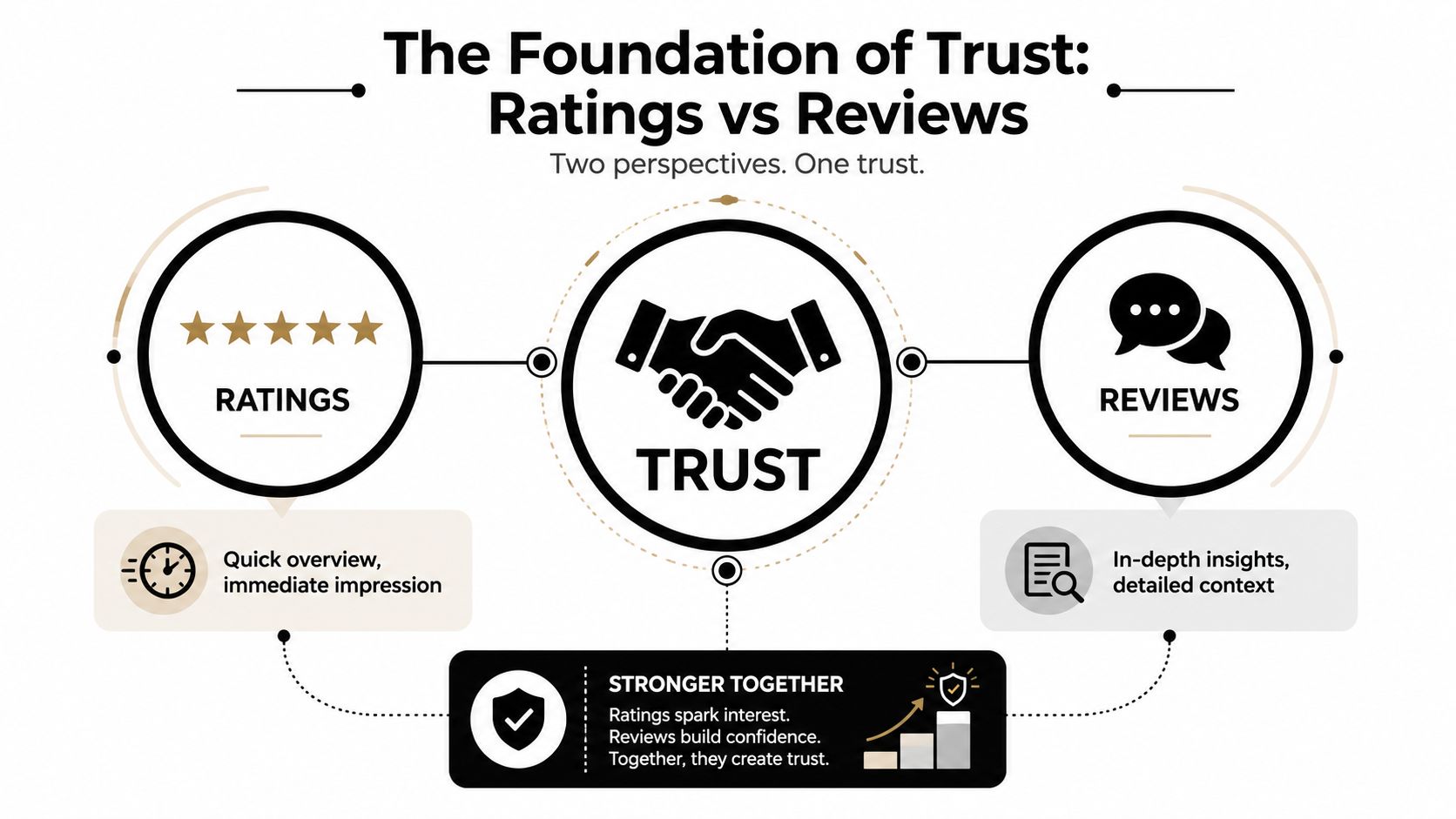
Ratings and reviews serve different jobs. Ratings give buyers a fast signal. Reviews provide the context behind that signal, including what happened, why the customer felt that way, and whether the result applies to a similar use case.
That difference matters because buyers do not evaluate proof the same way. Some skim for a quick score and leave if the number looks weak. Others read for details about support, setup, delivery, or fit. A useful review system has to serve both groups without making either one wait too long for the answer they need.
Why the combination works
Ratings handle the first pass. Reviews make the result believable. Stars alone give speed but little explanation. Text alone gives detail but no quick anchor for quality.
The cleanest setup combines both in one place, tied to the same product, service, or location. That makes the trust signal easier to scan and easier to verify. It also keeps the operational work simpler, because teams can monitor one source of truth instead of chasing separate snippets of feedback across different pages and tools. For a practical example of how teams structure collection around that workflow, see how to collect customer feedback in a repeatable way.
Google's guidance follows the same logic. Its review snippet documentation points to using Review and AggregateRating structured data for a specific visible item, and it warns that markup that does not match the on-page content can prevent rich results. The technical layer and the customer-facing layer need to stay aligned.
The strongest trust signals feel complete, not assembled.
That completeness comes from pairing the summary with the supporting evidence. The rating should belong to the right page item, and the review text should explain the experience in plain language. When both are visible and consistent, buyers do not have to guess whether the proof is real.
Strategies for Collecting High Quality Feedback
Organizations often think they have a review problem when they really have a friction problem. If the ask arrives too late, in the wrong channel, or inside a clunky form, response rates drop before the customer even considers leaving feedback. Industry analysis says asking closer to the actual experience, using the customer's preferred contact channel, and keeping the submission flow simple materially improves response rates (Vital's analysis of negative review bias and collection friction).
That's why collection should be designed like a product flow, not a favor you request at the end of a project. The best teams trigger requests right after a successful milestone, then make it trivial to respond on mobile, desktop, or inside the customer's normal communication channel. If a person has to hunt for a login, verify another account, or go through multiple steps, you've already lost momentum.
Build the ask around the moment
A useful collection workflow starts with timing, then channel, then format. Email still works when the customer is already in inbox mode. SMS can be better when the experience happened on a phone and the ask needs to feel immediate. QR codes help in physical environments where the buyer is still present and the memory is fresh.
- Ask at the right moment. Send the request when the customer can still recall specifics, not after the experience has gone stale.
- Use the preferred channel. Match the medium to the customer's habits, because convenience is part of trust.
- Remove login friction. A no-login submission flow reduces drop-off and keeps the request feeling lightweight.
- Keep the message specific. Reference the purchase, visit, or support interaction so the ask doesn't feel generic.
- Follow up once, then stop. A gentle reminder is useful. Repeated pressure usually isn't.
For teams building a repeatable feedback program, a structured intake page helps, and a practical starting point is this customer feedback guide. The key is to treat every request as part of the customer experience, not as a postscript.
One helpful tactic is to separate collection by format. Text testimonials are fast and easy, while video demands more intention and should be framed as optional and low effort. If your workflow asks for too much in one pass, the customer will choose nothing.
Practical rule: Ask for the smallest meaningful action first. Once someone has said yes, you can route them into a richer format later.
Managing and Moderating Reviews for Authenticity
A review program breaks down fast when moderation is inconsistent. Publish everything without checks, and you risk authenticity problems. Filter too aggressively, and you start looking like you're hiding criticism. The U.S. Federal Trade Commission says platforms should have reasonable processes to ensure reviews are genuine, should not edit reviews to alter their message, and must treat positive and negative reviews equally (FTC guidance for featuring online customer reviews).
That gives teams a fair operating model. Verify first, edit never, and apply the same standard to praise and complaints. If a review is legitimate but negative, it should still be visible unless it violates a clear policy. That protects trust better than trying to curate a spotless wall of praise.
What a fair moderation policy looks like
The policy should be written before the volume arrives. It needs clear rules for spam, profanity, fraud, off-topic content, and duplicate submissions. It also needs a response workflow, because moderation isn't only about approval or rejection, it's about what happens when a complaint becomes public.
- Authenticate before publishing. Check that the review is tied to a real customer interaction where possible.
- Keep message integrity intact. Don't rewrite the reviewer's words to make the comment sound nicer.
- Apply one standard. Praise and criticism should pass through the same policy.
- Route negatives to owners. A public complaint should trigger internal follow-up, not just a deletion decision.
- Tag themes as they arrive. Organizing feedback by topic makes later analysis and response faster.
Organized systems help. A central moderation queue, smart tagging, and AI-assisted triage can shorten review handling time without turning the process into a black box. One platform that includes those kinds of workflows is ZenX Testimonials, which combines moderation tools with collection and publishing features.
Fair moderation also protects the brand when a review is harsh but valid. A thoughtful public response can do more for credibility than five polished endorsements, because it shows the company is paying attention. Buyers notice that.
Publishing Reviews to Maximize SEO and Conversions
Displaying reviews is not just a design choice. It's a search and conversion decision. Google says review widgets need Review and AggregateRating structured data for a specific, visible item, and invalid markup or invisible content can block rich results (Google review snippet documentation). That means the page content, the schema, and the user experience all need to line up.
The easiest mistake is to hide social proof where it won't influence behavior. A testimonial page buried in the footer won't do much for checkout confidence. A review block on a product page, pricing page, or key landing page can support both the search engine and the buyer at the same time, as long as the markup matches what the user can see.
Where social proof should live
A good placement strategy is tied to intent. Product pages need proof near the decision point. Pricing pages need reassurance near the objection point. Checkout pages need visible confidence because that's where hesitation spikes.
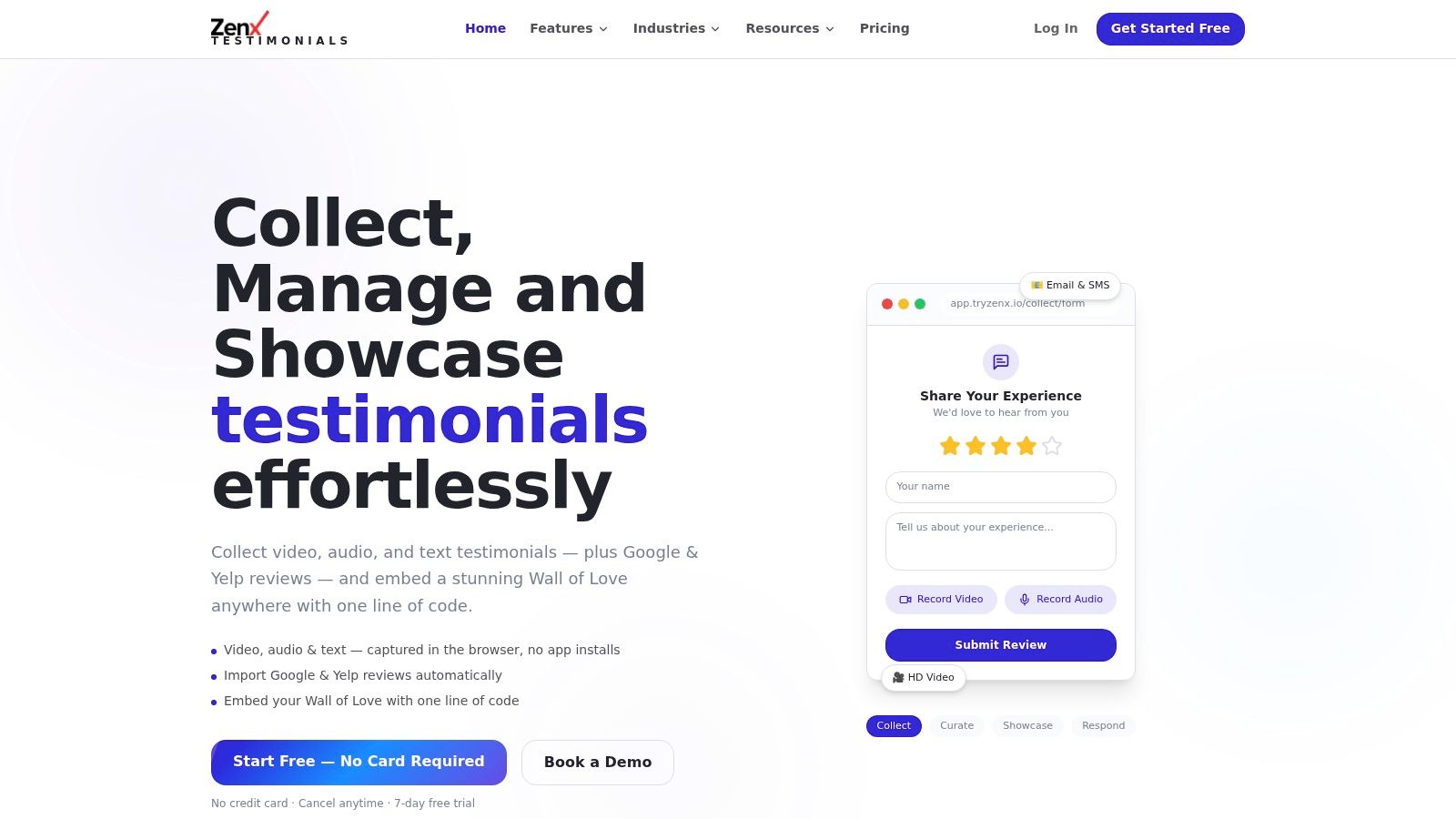
The display format matters too. Grids make scanning easy, carousels work when you want to highlight variety, and a Wall of Love gives teams a clean way to surface customer language across a page. If the implementation is simple enough, the team will keep it updated. For one-line setup and embeddable layouts, see ZenX embed widgets.
Practical rule: Put proof where the buyer feels risk, not where the homepage layout has empty space.
The best widgets don't just display praise, they preserve the source context and make the page feel current. That's especially important for high-consideration purchases, where a stale testimonial wall can feel decorative instead of persuasive. Social proof only works when it looks alive.
Building a Centralized Social Proof System
The biggest operational mistake I see is treating review collection, moderation, display, and reporting as separate jobs. That creates duplicate work, scattered data, and inconsistent messaging. A centralized workflow solves that by putting every review asset in one place, so the team can collect, organize, approve, and publish without hopping between spreadsheets and disconnected tools.
A practical example helps. An e-commerce brand might pull in Google reviews, collect video responses from recent buyers, and store short text testimonials in the same dashboard. The marketing team can then tag those assets by product line, campaign theme, or customer segment, which makes it easy to pull the right proof for a launch page or email sequence.
What centralization changes
A central system does three things better than a scattered stack. It reduces manual sorting, it keeps proof consistent across channels, and it helps teams reuse content that would otherwise sit buried in inboxes or review portals.
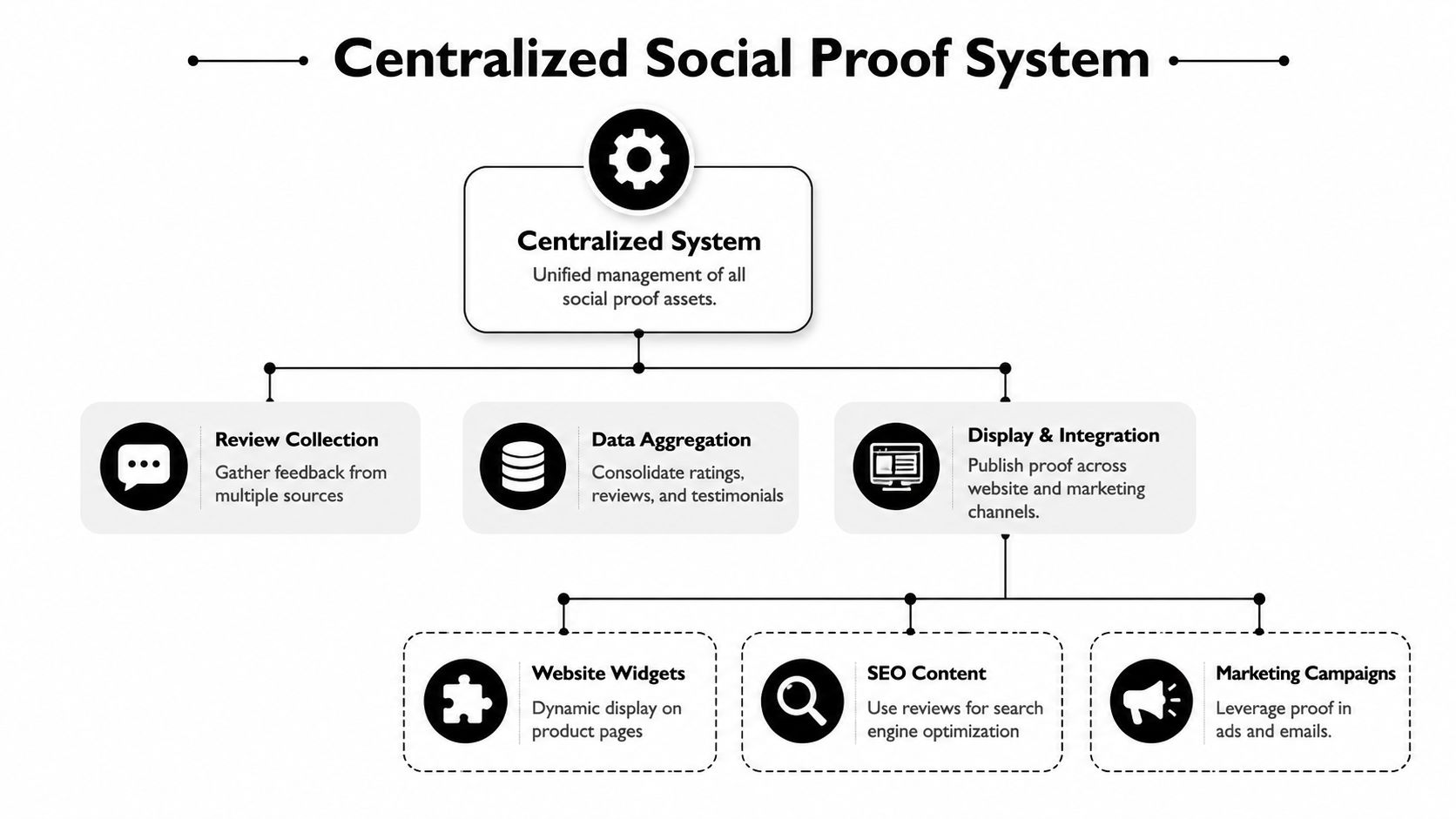
That structure matters because social proof isn't one asset. It's a pipeline. Reviews come in, the team filters and tags them, then the best ones get deployed into widgets, landing pages, and campaign creative. When the pipeline is centralized, the brand can move faster without losing control.
A useful workflow for a growing team
- Collect from multiple sources. Pull in direct submissions and public review sources so the team doesn't lose proof in silos.
- Tag by use case. Separate testimonials by product, audience, or campaign theme.
- Route approvals centrally. Give one team a clear decision path for publish, archive, or hold.
- Reuse proof across channels. Move the same asset into the website, emails, and ads without rebuilding it each time.
The upside is strategic as much as operational. Once the team can trust the library, it starts using social proof earlier in the funnel and more often in the buyer journey. That's the difference between a folder of reviews and a real business system.
For teams that want a single surface for this work, Wall of Love publishing is one example of how a centralized display layer can support that workflow.
Measuring the Impact of Your Review Program
The star average is useful, but it isn't enough. A review program can look healthy on the surface while still weakening trust if new feedback is sparse, complaints cluster around the same theme, or responses lag behind customer concerns. The more actionable signals include review volume, recency, sentiment trends, and the speed and quality of business responses to feedback (Digitech India on Google review signals and local SEO).
That changes how teams should report success. Don't stop at “we got more reviews.” Track whether the stream is steady, whether recent feedback is visible, and whether the team is answering criticism in a way that helps future buyers. Those details tell you whether the system is building trust or just collecting noise.
What to watch in a working program
A strong dashboard should help you answer a few basic questions. Is the volume growing in a way that matches customer activity? Are the newest reviews still aligned with the brand promise? Are repeated complaints pointing to a product, support, or fulfillment issue that needs fixing?
Practical rule: A weak average isn't always fatal if the negative feedback is narrow and fixable. A high average can still be misleading if the review base is thin or stale.
That's why the review and ratings workflow should always connect back to business behavior. If conversion improves after proof is added to key pages, the team should know. If response speed improves after moderation is centralized, that should show up too. The point isn't to worship the score, it's to use the score and the surrounding signals to make better decisions.
A review program earns its keep when it becomes measurable, repeatable, and easy to operate. If the system is in place, the next step is to keep it live, keep it honest, and keep the proof where buyers can use it.
A CTA for ZenX Testimonials.
Written by
Sunil
ZenX Testimonials
Sunil writes about reviews, testimonials, and the everyday work of earning customer trust.