What Is Experience Management Software? A Practical Guide
What experience management software does, the features that matter, and how to connect reviews, surveys, and feedback into one clear customer picture.
In this article
- Introduction The Fragmented State of Customer Feedback
- Understanding Experience Management Software
- The Core Capabilities of Modern Platforms
- Business Benefits and Calculating Your ROI
- How XMS Compares to CXM VoC and Review Platforms
- A Checklist for Choosing and Implementing Your Platform
- Activating Feedback with Modern Testimonial Platforms
You do not have a feedback problem. You have a visibility problem.
Customer signals are abundant, but the narrative is fragmented. Support is reviewing ticket tags in one system. Marketing is monitoring Google reviews somewhere else. Product is working through survey exports in a spreadsheet. Sales is forwarding screenshots from customer emails. Then the inevitable question comes up in a weekly meeting: "What are customers actually telling us?" and nobody has a complete answer.
That is the core role of experience management software. It consolidates scattered feedback into a single system, helps teams identify patterns quickly, and makes it easier to decide what to fix, publish, or improve next. When implemented well, customer input stops being background noise and starts functioning as an operating signal.
Introduction The Fragmented State of Customer Feedback
Most companies do not lack feedback. They lack coherence.
Customers leave signals across surveys, public reviews, live chat, social media, support conversations, and follow-up emails. Each channel reveals part of the truth, but no single source explains the full experience. When teams work from disconnected tools, they solve isolated symptoms instead of recurring causes.
The result is predictable. Support handles the same complaint repeatedly. Marketing publishes polished messaging that does not reflect what customers actually praise in reviews. Product teams prioritize based on internal opinion because customer evidence is scattered across inboxes, spreadsheets, and dashboards that do not connect.
Practical rule: If feedback lives in more than one system, someone on your team is already missing context.
The shift toward unified tooling is significant. The Customer Experience Management Software market report from Cognitive Market Research says the global market was USD 14.97 billion in 2022 and is projected to reach USD 52.56 billion by 2030, with a 17% CAGR. That growth reflects a broader operational shift. More teams now treat real-time feedback as a core business input tied to retention, product quality, and customer trust.
Why scattered feedback slows growth
When review data sits in one application and survey data sits in another, teams cannot easily connect what customers say with what they do. A low survey score may align with a spike in support complaints or a cluster of negative public reviews, but the pattern often becomes visible too late.
A unified approach changes that. It helps teams move from reactive activity to intentional decision-making.
- Support teams can identify repeat issues before they become a queue problem.
- Marketing teams can extract customer language and turn it into credible messaging.
- Product teams can compare structured survey responses with unsolicited comments from public channels.
- Leadership teams can stop guessing which problems matter most.
If your current process still depends on exports, screenshots, and manual tagging, it helps to start with a stronger customer feedback collection process. Better collection is often the first step toward better decisions.
Understanding Experience Management Software
Think of experience management software as the operating layer for customer insight.
A business receives signals from many sources. Surveys, emails, live chat, website interactions, and reviews all generate data. On their own, these signals are noisy. Experience management software gathers them, structures them, and routes them to the right teams so the organization can respond with context instead of instinct.

According to Medallia's explanation of customer experience management software features, these systems are designed to collect feedback from sources such as surveys, emails, live chats, and web interactions, then track issues at both broad and granular levels so each customer signal can be managed appropriately.
What it does at the core
Many readers reduce this category to "survey software plus dashboards." That definition misses the point.
Survey software helps you ask questions. Experience management software helps you understand the experience surrounding those answers. It connects structured feedback with operational context. If a customer gives a low score, the platform should make it possible to see whether that same customer opened support tickets, left a public review, or encountered friction at a specific point in the journey.
That matters because customers rarely explain the full problem in one place. A survey response may tell you that someone is dissatisfied. Their chat transcript may explain why. Their review may show how they describe the problem publicly.
A simple mental model
Use this three-part model when evaluating the category:
-
Collect signals
The platform gathers feedback and behavior from different touchpoints. -
Interpret patterns
It helps teams detect themes, sentiment, friction points, and moments that influence loyalty or conversion. -
Trigger action
It routes insight to the people who can act on it, whether that means replying, fixing, publishing, or escalating.
A useful platform does not just store opinions. It helps teams determine what to do next.
Where people get confused
The most common misunderstanding is that the software exists only for customer service teams. It does not.
Marketing teams use it to identify proof points. Product teams use it to validate pain points. Customer success teams use it to detect risk. Leadership teams use it to assess whether the experience promised by the brand matches the experience customers report in reality.
That is why this software matters beyond listening. It helps companies translate customer voice into product decisions, service improvements, and trust-building assets that support growth.
The Core Capabilities of Modern Platforms
Modern platforms do not create value by collecting more data alone. They create value by helping teams unify, interpret, and activate feedback without adding unnecessary manual work.
The strongest systems combine broad intake, clear analysis, and straightforward publishing paths. That is especially important when customer input arrives in very different formats, from survey ratings to public reviews to video clips recorded on a phone.
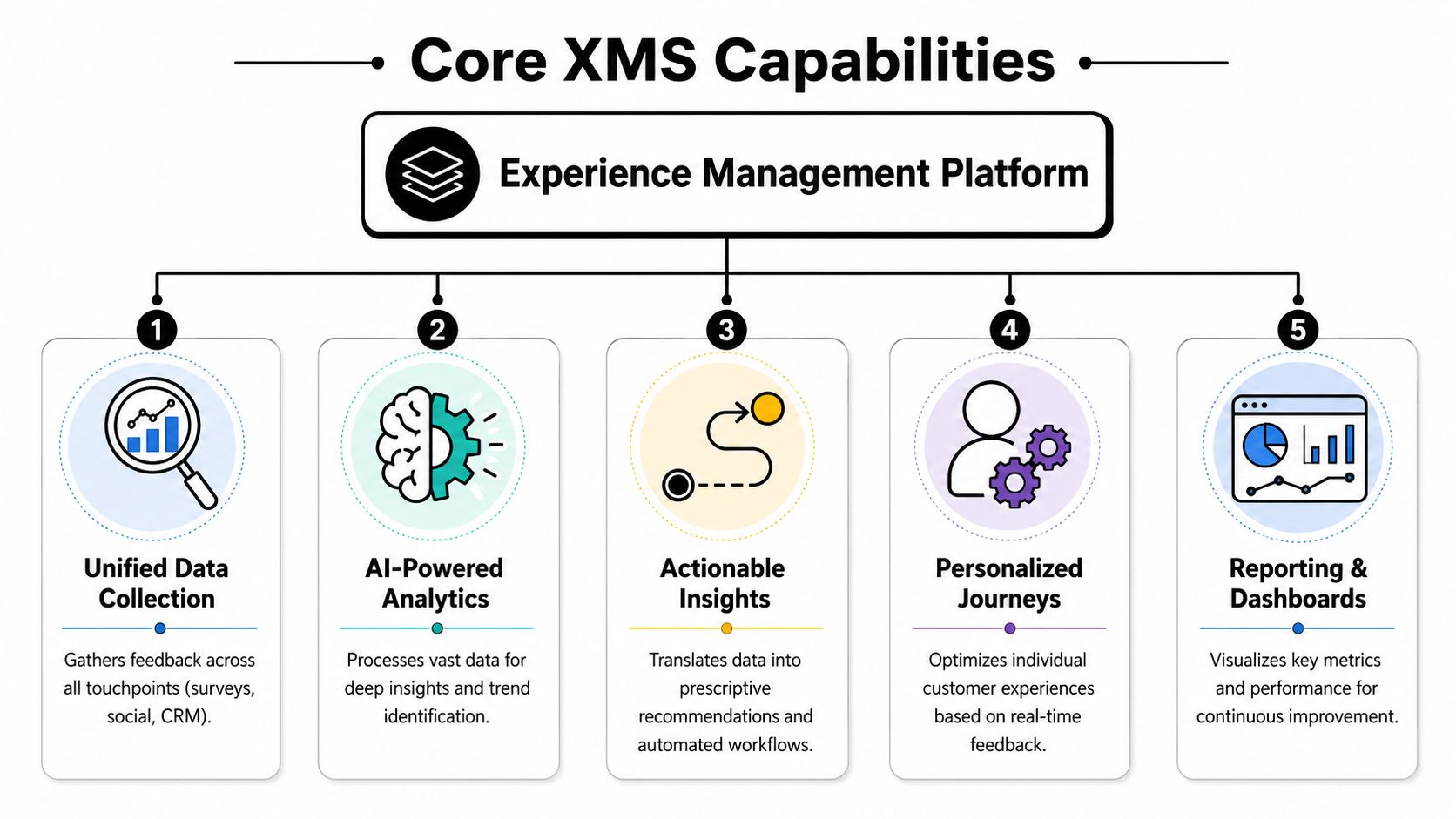
A good baseline comes from Qualtrics on experience management platforms. Effective platforms must capture solicited data from structured sources like surveys and unsolicited data from unstructured sources such as social media posts and third-party review sites. That combination allows teams to analyze both explicit feedback and implicit sentiment.
Unified data collection
This is the first capability to evaluate because every later feature depends on it.
If a platform only handles surveys, it provides a narrow view. If it only monitors public reviews, it misses private friction. Strong experience management software brings both together so teams can compare what customers say directly with what they say when nobody asked.
Examples of useful intake sources include:
- Structured requests such as post-purchase surveys, onboarding check-ins, and support follow-ups
- Operational channels like email replies, chat logs, and web interactions
- Public signals such as review sites and social mentions
- Rich-media feedback like audio and video testimonials
A common mistake is treating all of these inputs as equal. They are not. Survey scores show declared sentiment. Reviews reflect public trust. Video often captures tone and authenticity in ways text cannot.
Analytics that explain rather than just display
Many tools produce dashboards. Far fewer produce understanding.
The goal is not to build more attractive charts. The goal is to answer practical questions. Why are customers dropping off after onboarding? Which complaints are isolated, and which ones are recurring? Which praise themes should marketing feature on a landing page?
Useful analytics usually include a mix of:
- Theme detection so recurring issues do not remain buried in open text
- Sentiment analysis to help teams sort positive, neutral, and negative feedback
- Filtering and segmentation so product, support, and marketing can isolate the patterns relevant to them
- Trend reporting that shows whether business changes are improving the experience or introducing new friction
Embeddable proof layers
This capability is often overlooked in broader CX discussions. It should not be.
Some customer feedback should lead to an internal fix. Some should become external proof. Platforms that support embeddable widgets help businesses turn positive customer voice into assets on product pages, pricing pages, and landing pages.
That matters because feedback does not create business impact while it sits in a dashboard. It creates impact when teams activate it. A review library, testimonial wall, or curated quote widget can turn raw customer praise into visible trust signals.
AI-powered moderation and tagging
Modern platforms should reduce labor, not create more of it.
Manual curation is expensive. Someone has to review submissions, reject unusable ones, approve strong ones, organize them by theme, and prepare them for publishing or escalation. AI helps by sorting and tagging content so teams do not start from zero every time.
If your team needs a person to read every submission before anything happens, the workflow will not scale.
Moderation matters even more when the platform handles mixed media. Reviewing text is one job. Reviewing video, audio, screenshots, and public reviews together is far more difficult without automation.
Integrations and workflow fit
The best platform on paper will still fail if it does not fit your operating environment.
Experience data becomes more valuable when it connects with CRM records, support systems, marketing pages, and collaboration tools. Teams need data to move through the business, not remain trapped in one application. A platform should help customer insights reach the people responsible for the next action.
Look for software that supports:
| Capability | Why it matters |
|---|---|
| Integration with CRM and support tools | Gives teams account context when reading feedback |
| Export and portability | Keeps your data usable outside one vendor |
| Flexible publishing options | Lets marketing activate proof where buyers actually evaluate you |
| Simple embeds and sharing flows | Reduces dependence on developers |
A modern platform should function less like a storage bin and more like a relay system. Feedback comes in, gets interpreted, and reaches the people who can act on it.
Business Benefits and Calculating Your ROI
Most software categories promise better visibility. That alone is not persuasive. Leaders want to know what changes operationally after implementation.
The return from experience management software usually appears in three areas. Teams save time, reduce friction in publishing customer proof, and improve the performance of pages where trust matters most. One of the clearest examples is moderation and testimonial activation.

Interaction Metrics' overview of customer experience management software states that AI-powered moderation reduces manual review time by 65% and can improve conversion rates by 12-18% on landing pages where testimonials are prominently featured.
Where the business value shows up
That data matters because it links software capability to operating reality.
If a marketing or customer team spends hours sorting submissions, chasing approvals, and curating content manually, every testimonial becomes expensive to publish. AI moderation changes the economics of that workflow. Less time goes to repetitive review. More time goes to selecting the right proof for the right page.
The conversion effect is just as practical. Buyers often hesitate late in the process. They want reassurance from real customers, not brand copy. When testimonials are visible and well curated, they help reduce doubt during evaluation.
A simple way to think about ROI
You do not need a complex finance model to begin. Use three lenses:
-
Labor savings
Estimate how much staff time currently goes into review, curation, tagging, approvals, and publishing. -
Speed to publish
Ask how quickly strong customer feedback reaches your website, campaign pages, or sales materials. -
Revenue influence Look at pages where social proof affects buyer confidence. Those are usually your highest-impact surfaces.
For a more structured way to frame the business case, it helps to run the numbers through a dedicated ROI calculator for testimonial and review workflows.
Investment lens: The software pays back faster when it shortens manual review work and gets persuasive proof in front of buyers sooner.
What not to count
Teams often overstate ROI by assuming every insight leads to a product breakthrough. That is rarely how value appears in practice.
A better approach is to count direct operational gains first. How much repetitive work disappears? How much faster can you approve and publish? How much more credible does your conversion surface become when it reflects real customer language instead of invented marketing phrasing?
Those are concrete gains. They are easier to validate internally, and they create a stronger case for broader adoption later.
How XMS Compares to CXM VoC and Review Platforms
The software landscape gets confusing because vendors use overlapping labels. One platform calls itself CXM. Another says it is Voice of the Customer. Another focuses on reviews but presents itself like a full experience suite.
The easiest way to reduce the noise is to compare categories by job. What kind of data do they specialize in, and what outcome do they typically drive?
Software Category Comparison XMS vs CXM vs VoC vs Testimonial Platforms
| Category | Primary Focus | Typical Data Sources | Key Outcome |
|---|---|---|---|
| XMS | Unifying and activating experience signals across teams | Surveys, chats, emails, web interactions, public reviews, rich media | Cross-functional decisions and action on customer insight |
| CXM | Managing and improving the broader customer experience program | Feedback systems, operational channels, journey touchpoints | Ongoing experience improvement across the business |
| VoC | Capturing and analyzing direct customer voice | Surveys, forms, interviews, feedback requests | Structured insight into customer opinions and themes |
| Testimonial Platforms | Collecting, managing, and publishing social proof | Video, audio, text testimonials, third-party reviews | Trust-building assets for websites, landing pages, and campaigns |
Where XMS sits in the stack
Experience management software is broader than a survey platform and more action-oriented than a basic listening tool. It brings multiple signal types together so teams can see the relationship between private feedback, public perception, and operational events.
That makes it especially useful when your primary problem is fragmentation. If your issue is "we already collect feedback, but nobody can connect it," XMS is often the right framework.
Where VoC tools shine
Voice of the Customer platforms are usually strongest when an organization needs disciplined feedback collection. They are well suited to programs centered on recurring surveys, score tracking, and structured analysis of direct input.
They can be excellent for research and monitoring. But they may not be the best fit if your main goal is to centralize scattered reviews, curate multimedia proof, or publish customer voice across marketing surfaces.
Where review and testimonial tools fit
Dedicated review or testimonial platforms solve a narrower but strategically important problem. They help businesses gather public and private praise, organize it, and display it where prospects evaluate trust.
That is a different job from broad experience management. A review platform will not replace a full listening and analysis stack, but it may outperform a broader suite at social proof activation. If your team is struggling with review sprawl, a focused Google review management workflow often solves that issue faster than a heavyweight enterprise rollout.
Different tools answer different questions. "What are customers feeling?" is not the same as "What proof should we publish this week?"
A practical way to choose between categories
Ask which bottleneck is hurting you most right now.
If you cannot unify signals, evaluate XMS.
If you need stronger research discipline, evaluate VoC.
If public reputation and website proof are underdeveloped, a testimonial or review platform may deliver faster results.
Many businesses eventually use more than one category. The mistake is expecting one tool to be best at every job.
A Checklist for Choosing and Implementing Your Platform
Buying experience management software is rarely just a feature decision. It is also a workflow decision, an architecture decision, and in many cases a governance decision.
That is why polished demos can be misleading. A platform may look impressive while hiding weak portability, clumsy setup requirements, or brittle architecture that causes problems after rollout.
What to check before you buy
The underlying system matters more than many buyers expect. According to Costrategix on evaluating software architecture characteristics, platforms with decoupled service layers can achieve error rates below 0.5%, user satisfaction above 85%, and 30% faster deployment cycles.
That matters in practical terms. Cleaner architecture usually means fewer implementation surprises, easier updates, and less dependence on one overloaded developer or operations lead.
Use this checklist during evaluation:
-
Architecture quality
Ask whether the platform separates presentation, business logic, and data access cleanly. You want maintainability, not a fragile system that becomes harder to manage after customization. -
Data portability
Confirm that you can export your data in a usable format. If leaving the vendor would be painful, you are taking on avoidable risk. -
Capture friction
Test the submission flow yourself. If customers need downloads, account creation, or too many steps, participation will suffer. -
Integration practicality Look beyond logos on a pricing page. Ask what setup requires from your team and how data moves in day-to-day use.
-
Moderation workflow
Review how teams approve, reject, archive, tag, and publish content. Administrative friction compounds quickly.
A rollout plan that will not stall
Implementation works best when teams start with a narrow scope and expand from there.
-
Define one business outcome
Pick a concrete goal such as reducing review sprawl, improving onboarding insight, or increasing testimonial publishing speed. -
Map current feedback sources
List where customer input already lives. This usually exposes duplicate processes and blind spots. -
Launch one high-value workflow first
Examples include post-purchase feedback collection, support follow-up analysis, or review consolidation. -
Assign owners clearly
Someone should own collection, someone should own analysis, and someone should own action. -
Train for decisions, not just features
Teams do not need every button on day one. They need to understand how the platform changes daily choices.
Start with one urgent use case and one accountable team. Broad rollouts fail when nobody owns the first win.
Signs your implementation is working
You will know the rollout is healthy when fewer decisions depend on manual exports and scattered screenshots. Teams should spend less time hunting for evidence and more time acting on it.
If the workflow feels lighter after launch, that is a strong sign. If it feels like you have simply added another dashboard nobody checks, the problem is usually not adoption alone. The implementation likely failed to tie insight to a specific operating need.
Activating Feedback with Modern Testimonial Platforms
Many feedback programs stop too early. They collect insight, categorize issues, and generate reports, but they do not turn the strongest customer voice into visible proof.
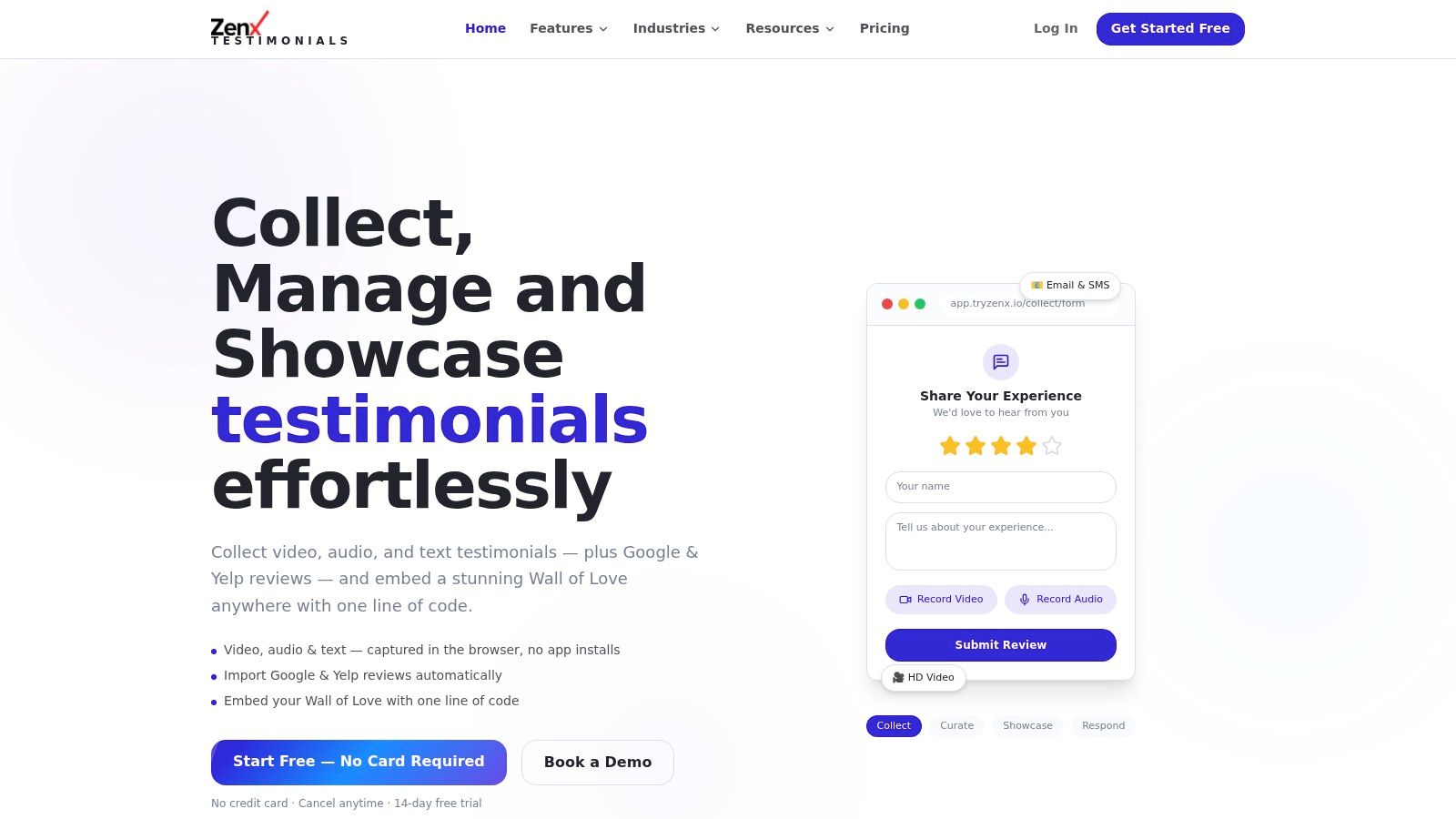
That is where modern testimonial platforms play a distinct role. They help companies move from "we know what customers think" to "buyers can see it on the page." This is especially valuable for video, which many teams want but struggle to collect because traditional workflows ask customers to download an app, log in, or manage a clumsy upload process.
There is a real execution gap here. A Zoom article discussing customer experience management notes that video testimonials drive 3-5x higher trust and conversion credentials, while 68% of SaaS brands still lack video collection workflows. The same source says in-browser video recording increases testimonial submission rates by 42% compared to download-based methods. That is a useful reminder that collection design matters as much as intent.
Why activation matters
A customer saying something positive in a survey is useful. A prospect seeing a real customer explain their results on a landing page is often far more persuasive.
Modern testimonial platforms close that gap by making capture simple, moderation manageable, and publishing straightforward. They also help teams unify text, audio, video, and imported third-party reviews into one usable library instead of leaving proof scattered across folders and platforms.
The practical lesson is simple. Broad experience management gives you the listening layer. Specialized testimonial software gives you the activation layer for trust.
If you want a focused way to collect, manage, and publish customer voice, ZenX Testimonials is built for that job. It helps teams centralize video, audio, text testimonials, and third-party reviews, then publish them through SEO-friendly widgets and low-friction capture flows that do not require app installs or logins.
Written by
Sunil
ZenX Testimonials
Sunil writes about reviews, testimonials, and the everyday work of earning customer trust.